Share
Memory Card Buying Guide: Master Capacity, Speed, and Compatibility in 3 Minutes
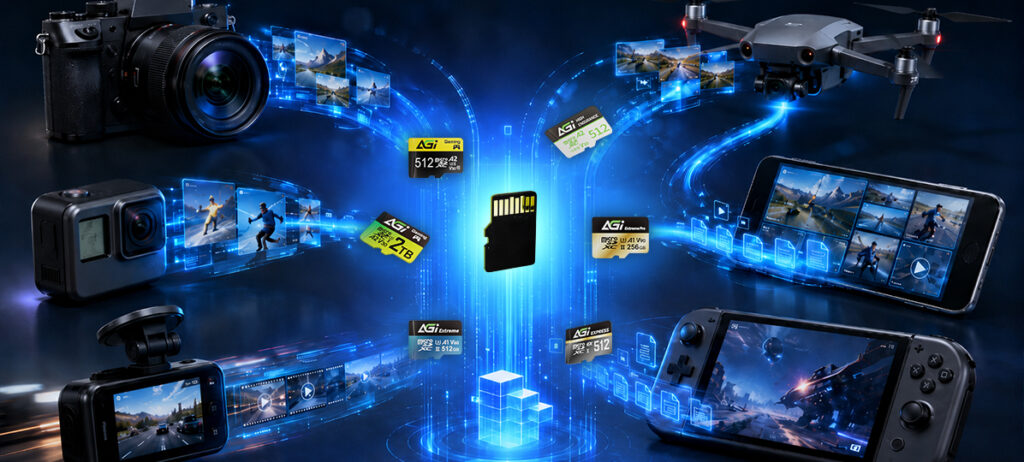
Sound familiar? You’re shopping for a memory card, but the packaging is covered in a confusing alphabet soup of symbols: C10, U3, V30, A2, UHS-II…
Your first thought: “I just need a memory card—does it really have to be this complicated?”
Don’t worry. We are stripping away the technical jargon. In this straightforward guide, we will break down the essentials and help you answer three critical questions:
1️⃣ Device Compatibility: Which card format does my gear actually support?
2️⃣ Speed Classes: How fast does my memory card really need to be?
3️⃣ Storage Capacity: How much space is enough for my usage?
By the end of this 3-minute read, you’ll be choosing the perfect memory card like an industry pro.
Step 1: How Much Storage Capacity Do I Need?
The fundamental rule is simple: higher capacity equals more room for your media.
But the most common question we hear is: “How much can it actually hold?”
To give you a clearer picture, let’s break down those gigabytes into real-world metrics—specifically, estimated photo counts and Full HD (1080p) video recording hours (based on standard smartphone and digital camera file sizes).
| SSD Type | Interface | Read Speed |
| 2.5-inch SATA SSD | SATA III | Approx. 500 MB/s |
| M.2 NVMe SSD (PCIe Gen3) | PCIe | Approx. 3,000 MB/s |
| M.2 NVMe SSD (PCIe Gen4) | PCIe | Approx. 7,000 MB/s |
Quick Recommendation Guide: Which Capacity Fits Your Needs?
Simply put, match your capacity to your workflow:
- 📷 Everyday Photography: A 64GB to 128GB card offers plenty of space for standard photo shooting.
- 🎥 Vlogging, Full HD Video & Dash Cams: We highly recommend 128GB or higher to ensure uninterrupted, loop recording.
- 🚁 4K UHD Video, Action Cams & Drones: Opt for 256GB or higher for absolute peace of mind when capturing massive, high-bitrate files.
The Bottom Line: If you aren’t sure which capacity to choose, 128GB is the universal sweet spot that perfectly balances price, storage, and everyday utility.
Step 2: How to Choose the Right Memory Card Speed?
If capacity is about how much data you can store, speed is all about how fast your device can save that data.
Those confusing letters printed on the front of your card—C, U, and V—actually all refer to one critical performance metric:
👉 Minimum Sustained Write Speed.
If your memory card’s write speed cannot keep up with your camera’s data output, you will experience frustrating bottlenecks:
❌ Video recording suddenly stops
❌ Dropped frames and choppy playback
❌ Corrupted or unreadable files
To help you avoid these issues, the industry uses standardized Speed Class ratings (C, U, and V). Here are the most common classifications you will encounter:
| Speed Class Rating | Minimum Sustained Write Speed | Ideal Use Case & Workload |
| Class 10 (C10) | 10 MB/s | Standard Photography & Basic Storage |
| UHS Speed Class 1 (U1) | 10 MB/s | Full HD (1080p) Video Recording |
| UHS Speed Class 3 (U3) | 30 MB/s | 4K UHD Video & Burst Mode Photography |
| Video Speed Class 30 (V30) | 30 MB/s | Action Cameras, Drones & High-Res Vlogging |
| Video Speed Class 60 (V60) | 60 MB/s | High-Bitrate Video & 6K Cinematic Recording |
| Video Speed Class 90 (V90) | 90 MB/s | Professional Cinema Cameras & 8K Video |
The Quick Cheat Sheet: Which Speed Should You Buy?
If you only remember one rule of thumb, make it this:
- 📷 Mainly Photography: A C10 (Class 10) card is perfectly sufficient for everyday shots.
- 🎥 Continuous Video Recording: You need a V30 at bare minimum to ensure smooth, uninterrupted capture.
- 📹 Professional Videography: Invest in a V60 or V90 to handle massive data rates and high-resolution workloads flawlessly.
The Bottom Line: For the vast majority of modern digital cameras, drones, and smart devices today, V30 has become the industry standard and the absolute mainstream baseline for a seamless user experience.
Step 3: Matching the Right Memory Card to Your Device
The number one question we hear from consumers is simply: “Which exact memory card does my specific device need?”
Before you make a purchase and slot a card into your camera, drone, or console, it is crucial to decode the alphabet soup of “C,” “U,” “V,” and “A” printed on the front.
Here is your ultimate guide to deciphering these speed class ratings and finding the perfect match for your hardware:
Speed Class Decoder & Ideal Application Guide:
| Speed Class Category | Symbol on Card | Minimum Sustained Write Speed Explained | Primary Use Cases & Workloads |
| Speed Class (C) | C10 | The number dictates the minimum sequential write speed in MB/s (e.g., C10 = 10 MB/s). | Basic digital photography, Full HD (1080p) video recording. |
| UHS Speed Class (U) | U1 / U3 | U1: 10 MB/s U3: 30 MB/s | High-definition video capture, burst-mode photography, and 4K UHD recording. |
| Video Speed Class (V) | V10 / V30 / V60 / V90 | The number directly represents the minimum sustained write speed in MB/s, optimized for continuous recording. | Action cameras, drones, and professional 4K / 8K cinematic video recording. |
| Application Performance Class (A) | A1 / A2 | A1: Standard app performance. A2: Superior random read/write speeds (IOPS) to handle complex operations and background tasks simultaneously. | Running mobile apps smoothly on smartphones and tablets, and expanding storage for handheld gaming consoles (e.g., Nintendo Switch, Steam Deck). |
The Quick Match Guide: Which Card for Which Device?
Keep these quick rules in mind when shopping:
- 📱 Smartphones & Gaming Consoles: Look for A1 / A2
- 📷 Digital Cameras & Dash Cams: Look for U1 or higher
- 🚁 Drones & Action Cameras (e.g., GoPro): Look for V30
- 🎥 Professional Video Gear: Look for V60 or higher
The Big Question: Aren’t C10, U1, and V10 Exactly the Same?
You might be wondering: “If C10, U1, and V10 all guarantee a minimum write speed of 10 MB/s, aren’t they just the same thing? Which one do I actually buy?”
This is one of the most common questions consumers ask. Here is the easiest way to understand it:
Your device has already done the math for you. Today, most cameras, action cams, and drones state their exact requirements directly in their user manuals or product pages—often explicitly stating “V30 memory card recommended” or “Minimum U3 required.” This is the manufacturer telling you exactly how much data throughput the device generates while recording.
To visualize this, let’s use an everyday analogy:
If you are just snapping photos one by one, the data flow is like a slowly dripping water faucet. A standard C10 card is perfectly adequate to catch every drop.
But the moment you start recording video, everything changes. Video requires massive, continuous data writing every single second—like suddenly turning that faucet on full blast. If your memory card’s write speed cannot keep up with that torrent of data, it overflows (resulting in corrupted files or stopped recordings).
Because of this intense, sustained data flow, if you are recording Full HD video, it is highly recommended to use at least a U1 or V10 memory card.
Just remember this golden rule:
Shop for capacity when shooting photos; shop for speed when recording video. Only with sufficient sustained speed will your videos save smoothly without a single dropped frame.lecting an NVMe SSD will yield superior performance metrics. However, for legacy hardware optimization, a SATA SSD remains an exceptionally reliable and cost-effective upgrade vector.