Share
Balancing Speed and Power: How USB Evolution Shaped High-Durability Fast Charging Cables
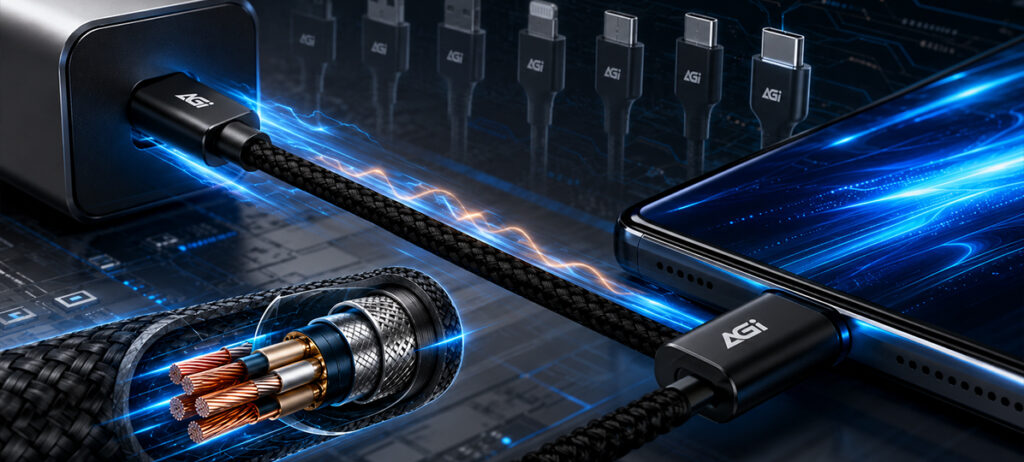
When shopping for a USB hub or cable the most frustrating part is rarely the product design it is the confusing array of similar numbers on the packaging
From the early USB 2.0 to the highly discussed USB4 the evolution of these standards is essentially a history of pursuing data transfer efficiency
The most straightforward way to understand these differences is to look at how fast they can go
The Era of Renaming Demystifying USB 3.x
Many consumers notice that some products are labeled USB 3.0 while others say USB 3.1 Gen 1 Technically these two are completely identical both offering a transfer speed of 5Gbps This is because the USB association has renamed older specifications multiple times.
To keep it simple the USB 3.x family can be broken down into three speed tiers
-5Gbps USB 3.2 Gen 1 This is the most widespread standard today It is more than sufficient for everyday office tasks connecting a mouse or keyboard and transferring small files
-10Gbps USB 3.2 Gen 2 As media file sizes grow 10Gbps has become the baseline for content creators Transferring a 10GB file takes roughly 10 seconds
-20Gbps USB 3.2 Gen 2×2 This is the pinnacle of the 3.x generation Utilizing dual lane technology it doubles the speed However this is usually exclusively available via the Type C connector
-The Future Benchmark The USB4 Revolution
When discussing current top tier specifications USB4 must be mentioned It not only pushes speeds to 40Gbps but more importantly it unifies video and power delivery protocols If the 3.x series optimized an existing framework USB4 redefines universal connectivity allowing a single cable to handle high resolution displays and ultra fast data access simultaneously.
USB Specifications Comparison Table
| Original Label | Current Standard Name | Theoretical Max Speed | Connector Type |
|---|---|---|---|
| USB 3.0 | USB 3.2 Gen 1 | 5 Gbps | Type A or Type C |
| USB 3.1 | USB 3.2 Gen 2 | 10 Gbps | Type A or Type C |
| USB 3.2 | USB 3.2 Gen 2×2 | 20 Gbps | Type C |
| USB 4.0 | USB4 | 40 Gbps | Type C |
The Power of Specialization Why Charging Cables Use USB 2.0 Specifications
In an era obsessed with ultra fast data transfer standards many people wonder why premium charging cables like the CA138CC opt for USB 2.0 480 Mbps data speeds This decision is firmly rooted in the design philosophy of functional optimization.
To maintain massive bandwidth high speed data cables require dense internal shielding and thicker data cores This structural requirement often results in cables that are stiff bulky and difficult to manage.
In contrast the CA138CC was engineered with a single primary mission delivering the ultimate power delivery experience It supports a massive 100W 20V 5A output capable of charging a laptop to 85 percent in just 45 minutes.
By deliberately choosing a USB 2.0 configuration we successfully optimized the internal structure making the cable significantly lighter and more flexible This purposeful design allows the cable to withstand an impressive 14000 bend lifespan ensuring maximum durability without sacrificing daily portability
For most everyday scenarios the 480 Mbps speed is highly stable and perfectly sufficient for syncing photos backing up music or accessing standard videos We chose to focus our engineering efforts on eliminating battery anxiety ensuring this braided cable delivers both peak power output and ultimate durability
It enables faster and smoother loading of massive open world games making it the ideal choice tailored for next generation handheld consoles.